


Loved by 12,000 lifters with ⭐ 4.9 rating

Meet Liftr
Turn the room you're in
into your gym

Liftr scans your room, finds the things you already own, and turns them into a real workout. No equipment to buy, no membership, no drive.
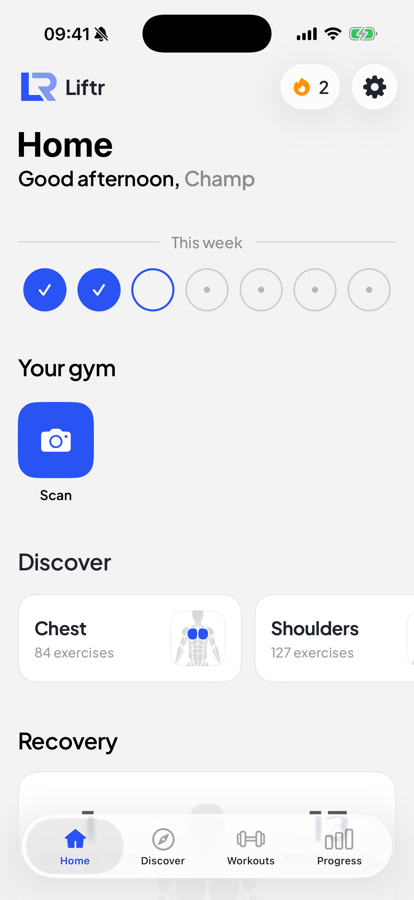
The Liftr home screen with your week and your scanned gym
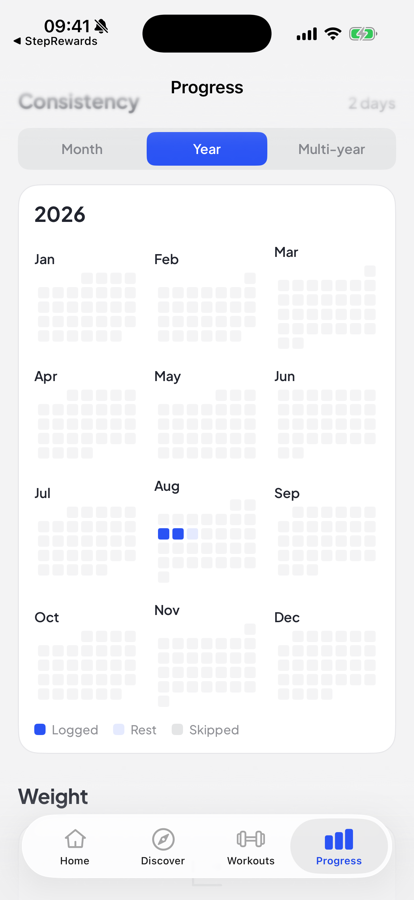
A year of training consistency, logged day by day

How Liftr works

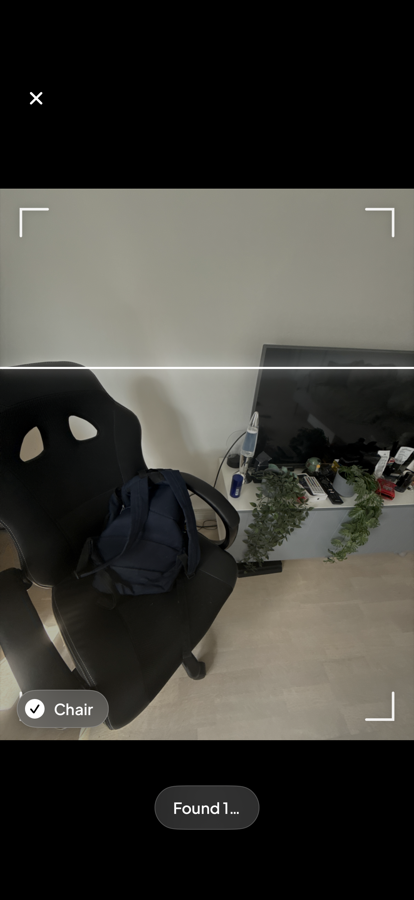
Liftr scanning a room and identifying a chair

Why choose Liftr?

Every other app assumes you own a rack. This one looks at what's in the room.

Nothing to buy

No dumbbells, no bands, no subscription box. Liftr works from the objects already sitting in the room with you.

Works in any room

A hotel, a dorm, a living room, a garage. Rescan wherever you land and the session adapts to what's actually there.

Progress that carries over

Your history, lifts and streak follow you between rooms, so changing location doesn't reset the work you've put in.

The catalogue

873 exercises
every one adapted to
what's in your room! 🏋️

New features ship weekly :)

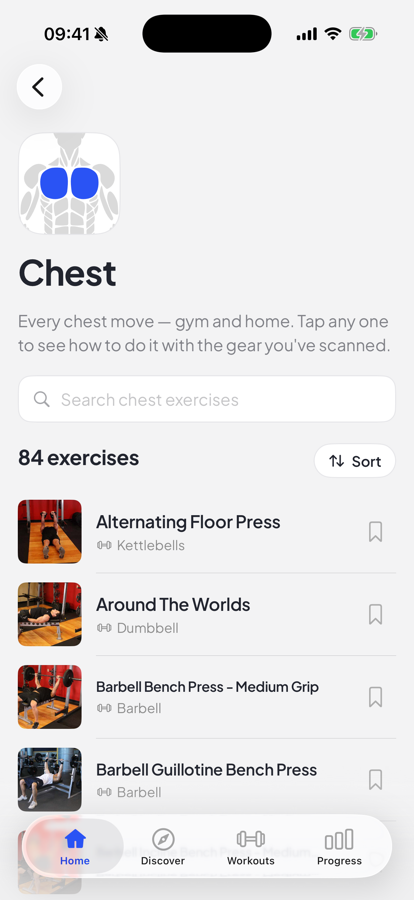
The Liftr exercise catalogue, filtered to chest

Thousands of users talk about us

hannah.p

"Scanned my living room expecting nothing and it found six things I could train with."

Ordinary Ravi

"Been training out of a one-bed flat for a year. This is the only app that gets that."

coach_ellis

"I send it to every client who says they can't afford a gym. It removes the excuse entirely."

Mattias

"Started using it yesterday and I'm already giving it five stars ⭐"

Ms Adeyemi

"For anyone who keeps saying they'll join a gym eventually — just get this instead 🙌🔥"

Frequently asked questions

The questions our support team hears most.

Do I need any equipment at all to start?
No. Liftr is built for rooms with nothing in them. If the scan finds a chair, a backpack or a countertop it will use them, and if it finds nothing at all you still get a full bodyweight session.
I paid but the app still shows a paywall. What gives?
Your purchase is tied to the store account that paid for it. Open Settings → Restore Purchases while signed in to that account. If it still doesn't unlock, send us the receipt and we'll sort it manually.
How do I cancel my subscription or free trial?
Subscriptions are managed by the App Store or Google Play rather than by us. Cancel from your device's subscription settings and you'll keep access until the current period ends.
The scan missed something obvious, or flagged an item my room doesn't actually have
Add or remove anything by hand from your equipment list — the workout regenerates around the correction. Slow, even sweeps in good light give the scan the best chance first time.
Is it safe to load a backpack or train against my furniture?
Liftr only suggests loads and surfaces it judges stable, and every move carries a setup note. Check that furniture takes your weight before you trust it, and skip anything that feels unsteady.
My steps aren't showing up in Liftr
Step data needs read permission from Apple Health or Health Connect. Check Settings → Integrations and confirm the toggle is on — that permission is sometimes reset by an OS update.
See all FAQs →
⭐⭐⭐⭐⭐

Over 100k 5-star ratings

4.8/5